

6 Unique Ways to Make a Valentine in 2026
6 Unique Ways to Make a Valentine in 2026
Introduction
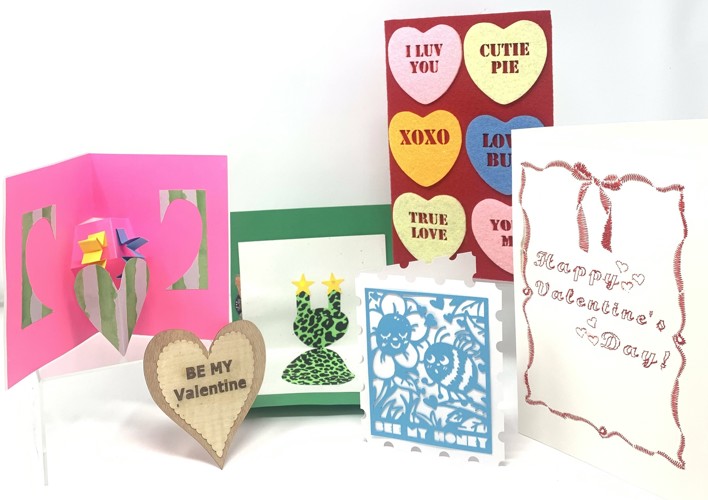
The tradition of passing out handcrafted valentines to friends and loved ones can be traced back to the 18th century. Nowadays this custom is commercialized, and most folks opt to purchase cards from the store instead of busting out the scissors and glitter glue for homemade cards infused with the love of the maker. At The Hawk Makerspace, we have Bridging Projects available for people to access when looking for step-by-step instructions on a project they are working on independently. We like to think of them as our way of helping you make a bridge from learning how to use a tool to creating projects with it. To help you get in the creative spirit of the holiday, we’ve created a series of Valentine’s-themed Bridging Projects so you can spread the love with your own handmade valentines!
Veneer Valentines (Marquetry)
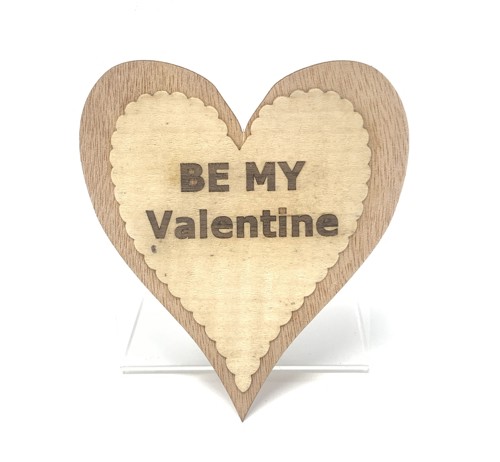
Nick P. created the Marquetry Valentine Bridging Project to show how to create a valentine out of wood veneer using the laser! He started with creating the file on Inkscape, a free design software, to plot out the cuts that would be made. Marquetry does not involve engraving, so he made sure to vectorize his design properly so that the laser knew how to make the right cuts. He placed a thicker piece of wood underneath the veneer to catch the small letters that were cut out of his design, then he let the laser do its thing (while supervising, of course).
To assemble, Nick laid out painter’s tape on the front of the piece (over the spots that he was inserting a letter into) and placed the letters into the slots. He then carefully spread glue all the way to the edge of his design to keep the edges from peeling up once the valentine was dry. The final step Nick took was to align his piece and place it between two cauls (a caul is a piece of material that is able to apply pressure over a wider area so as not to damage your project when you clamp it up). Nick used melamine cauls for this project so the glue would not stick and let it dry for at least 12 hours.
Marquetry is a great way to add flair to your woodworking projects, or to make standalone veneer artwork like Nick’s valentine! If you want to try this but haven’t yet used our laser cutter, sign up for a Laser Checkout Course and we can teach you!
Felt Valentines with the Laser Cutter
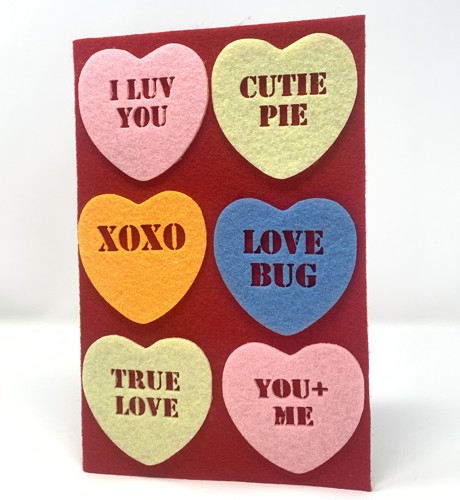
Nick D. also used the laser for his Felt Valentine Bridging Project, but opted to work with felt instead of veneer. He wanted to make his valentine look reminiscent of the classic Sweethearts candy box and used a combination of clipart symbols and text to create his design in Inkscape. To keep it simple and easy to glue, Nick used a stencil font so that the letters could be cut out of the hearts and let the red felt background show through. He used small magnets and focused on framing the area he was working on to keep the felt flat while the laser cut out the pieces. Once everything was cut, he used weeding tools to carefully pick out the letters on the hearts. After using a scoring mat to fold his cardstock, he hot glued a piece of red felt around it for the front of the card before using fabric glue to adhere the felt hearts to the red background. After everything dried, Nick D. finished the card by using a ruler and a rotary cutter to trim off any excess red felt around the cardstock.
Embroidered Paper Valentines with the Embroidery Machine
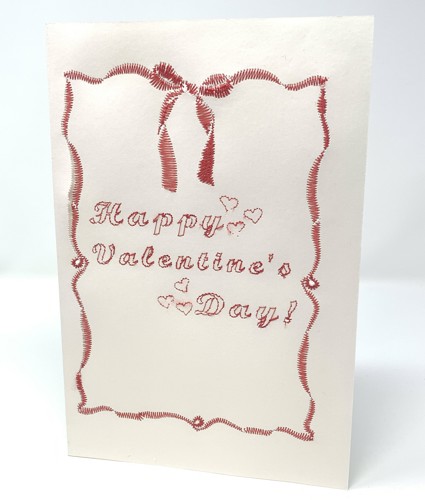
Nick D. also wanted to try his hand at embroidering on paper with his Embroidered Valentine’s Card Bridging Project! To do this, he scored watercolor paper to fold into a card, and taped it on top of a piece of tearaway stabilizer that he had already placed in the embroidery hoop. To prepare his design for the embroidery machine, Nick used Stitch Era, an embroidery design software, to designate low-density satin stitches for the shapes and running stitches set to a length of 6 for the text. After the embroidery machine completed the stitches, he carefully trimmed the jump stitches (loose stitches formed when the machine moves from one section to another without stitching in between) and cut away the stabilizer, leaving a small margin around the stitching. To hide the back of the embroidery, he glued a second paper card within the first. You could also simply stitch out a card design onto fabric instead of watercolor paper for a similar look! You just need to use hot glue to adhere the fabric to the paper card inside.
Paper Cut Valentine with the Cricut
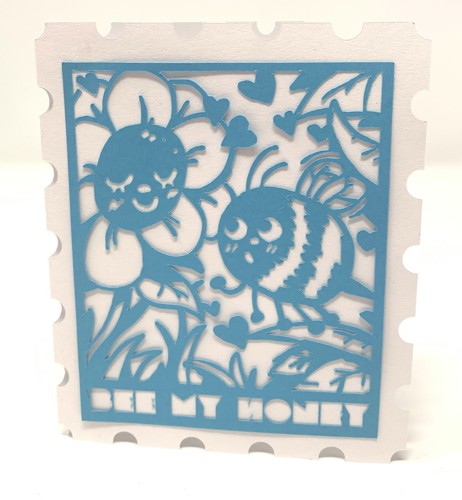
Caleb made a Cricut Paper Cut Valentine Bridging Project to show how he uses the Cricut to cut out intricate designs on paper! He used Inkscape to plot out a stamp shape for his card using different tools available on the software, then duplicated, aligned, and merged the pieces to finish the shape. Caleb is an artist and drew his own fancy design digitally, but you could either draw or find a design online that speaks to you! Once he had his artwork, he sized it to his stamp shape and used the trace bitmap tool on Inkscape to turn it into a vector file for the Cricut to cut. He then used the Cricut to cut his paper design and score his stamp-shaped card before he glued the pieces together!
The Cricut is part of our Wide Format Checkout Course if you’d like to learn more about how to make similar projects using the Cricut Venture and our 36” Wide Format Printer.
Pop Up and Light Up Valentines
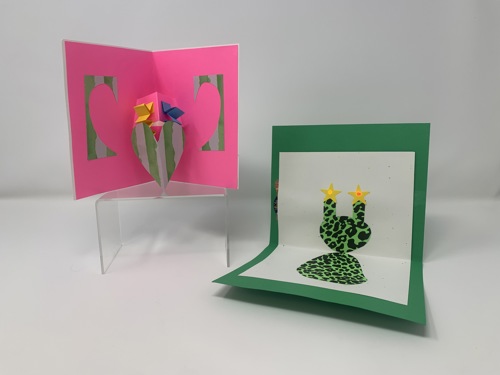
Nora wanted to make some samples for our February Youth and Tween Maker Meetup Workshops. Our new Makers Meetup Workshops for Youth and Tweens provide monthly opportunities for STEM-based learning on the weekend or after school. Both February workshops will help participants make these extra special valentines in time for the holiday!
Light Up Valentines – Tween Makers Meetup (ages 10-15)
Wednesday, February 4, 3:30-5:00 PM
Pop Up Valentines – Youth Makers Meetup (ages 9-12)
Saturday, February 7, 10:00 AM-12:00 PM
Bonus: CNC Candy Dispenser Workshop- a Sweet Valentines Day Gift!
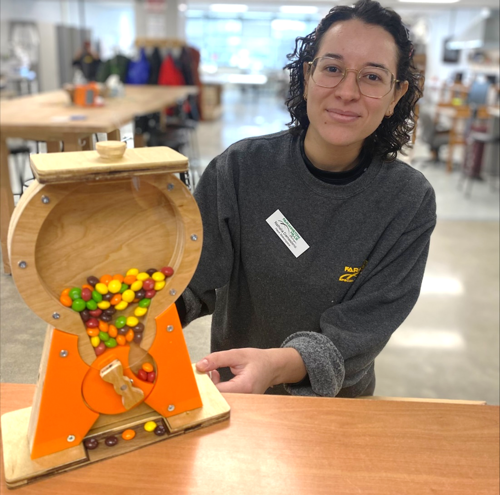
If you are looking for a gift, or a fun way to spend Valentines Day with your sweetie (or galentine/bestie) try the ShopBot Candy Dispenser workshop! Nathalia will show you the ropes of using VCarve to design a candy dispenser, then you’ll get to watch your project parts get cut out on the ShopBot CNC router! Once the pieces are ready, you’ll assemble and take it home to dispense your favorite candy and enjoy.
ShopBot Candy Dispenser: From Design to Sweet Success
Saturday, February 14, 12:00-4:30 PM
If you want to learn more about the ShopBot CNC Router, Nathalia will be demonstrating this awesome piece of equipment at The Hawk Makerspace’s FREE Monthly Maker Meetup on Saturday, February 7 from 12:00-2:00 PM.