

The Hawk Makerspace’s Favorite Free Design Resources
The Hawk Makerspace’s Favorite Free Design Resources
Introduction
If you’re looking for high quality, human-made tools to make your designs shine- you’re in the right place! Nick D, technician with The Hawk Makerspace, has compiled some of his favorite resources for free fonts, stock images, textures, and more that you can use in your personal-use printing or laser-engraving projects. Remember to check the licensing information for any free assets you will be using- the resources listed below are free for personal use but may have specific terms for commercial use.
Curated Font Libraries and What to Avoid
There are almost endless possibilities you see when looking up “free fonts”. However, not all these options are ethically sourced or high quality. You may want to avoid libraries like DaFont or FontSquirrel, as they have been known to favor quantity over quality assurance. Instead, here are a few options that we personally love because they clearly credit their creators and display the licensing and use information for these fonts:
Uncut (https://uncut.wtf/)
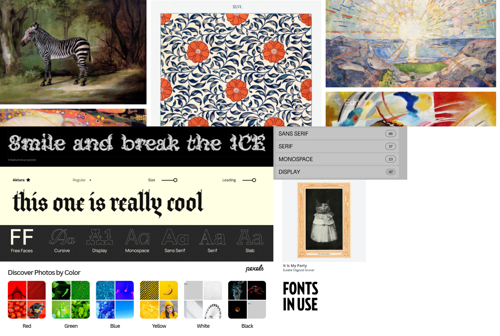
Uncut focuses on more contemporary font offerings, and organizes its selection between serif, sans-serif, monospace, and display fonts. These are under an SIL Open Font License, making them free to use in designs with no acknowledgement. Check out https://openfontlicense.org/ for more information.
Use & Modify (https://usemodify.com/)
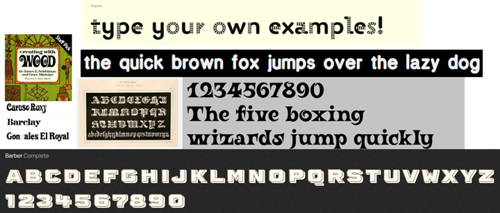
As the title suggests, these 31 pages of fonts are free to use and modify. This library prides itself on its “selection of beautiful, classy, punk, professional, incomplete, weird typefaces.” I couldn’t have said it better myself! They even offer light, bold, and other variants of many of these fonts, and you can type in your own text to meet your needs. These are also under an SIL Open Font License.
Free Faces (https://www.freefaces.gallery/)
This site has a nice variety of fonts across varying types of free licenses. With a satisfying display navigation, it splits its selections up along the top of the screen. You can click on a font to open a preview of all the glyphs and characters of the selected font.
Fontshare (https://fontshare.com/)
All of Fontshare’s fonts are 100% free for personal and commercial use. This site allows you to type in your own text and preview the font in use. It also has a section of the website where you can view different font pairings.
Fonts In Use (https://fontsinuse.com/)
This site is great for design inspiration on how fonts are paired, showcasing thousands of popular books, albums, movies, advertisements, and more. By clicking on “fonts used” you’re able to see more options that use the same font. You can also choose different media categories from which to browse.
Stock Images, Clipart, and Textures
There are many quality libraries of free-to-use or even public domain images for your laser projects, photo-bashing, or whatever you can think up to use them for! Here are a few of my current go-to’s.
Public Domain Image Archive (https://pdimagearchive.org/)
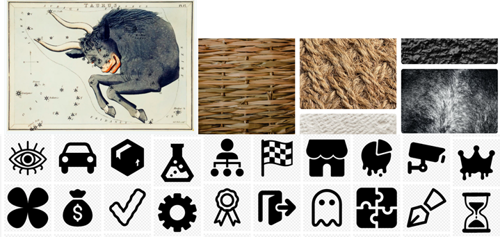
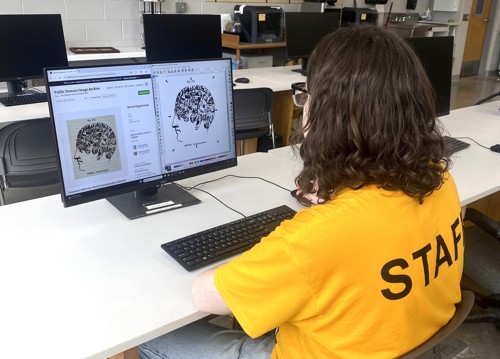
This is a curated library of over 10,000 public domain images, with new additions every week. The Public Domain Image Archive is great for browsing for inspiration with its “Infinite View” mode, which allows you to peruse a random assortment of images, or you can filter by categories. It contains historical photographs, wildlife paintings, woodcut prints, and more! It includes collections with information on the source of the images.
Pexels (https://www.pexels.com/)
Pexels is a platform for stock photos with more of a focus on photography than clipart. Everything is free to use and modify. This resource is great for digital collage and can even be used for laser engraving if you are handy with GIMP or other photo-editing tools for adjusting the image’s saturation and contrast. Pexels also has a catalog of high-quality textures to overlay on posters or prints. You can search for specific categories to find just what you need.
Rawpixel (https://www.rawpixel.com/)
Rawpixel is similar to Pexels but also includes resources like fonts. It also has a vast library of stock images, but I suggest filtering to exclude AI images to see its higher-quality offerings properly. Rawpixel has a very handy filter menu, allowing you to sort by specific colors, file types (including Vector files), and more! You can also sort by usage type so you can find high quality public domain artwork and photography as well.
And Then What?
Once you’ve utilized the free options above, you can transfer files into other free design programs such as GIMP, Inkscape, TinkerCAD, Blender, and more. We use these programs to prep files for just some of our equipment including the Epilog Laser, Dremel and Bambu 3D Printers, Wide Format Printer, and the Cricut Venture.
If you’re new to designing, we’re here to help! We offer checkout courses for nearly all of our equipment which also teaches the basics of these software programs. We also offer Tech 1:1 for a nominal fee in which you can reserve dedicated 1 on 1 time with one of our technicians to provide you with more individualized instruction and guidance.
Have you tried a program we didn’t list? We’d love to hear about it!